
Best iPhone Chargers for 2023
Belkin MagSafe 3-in-1 Wireless Charger
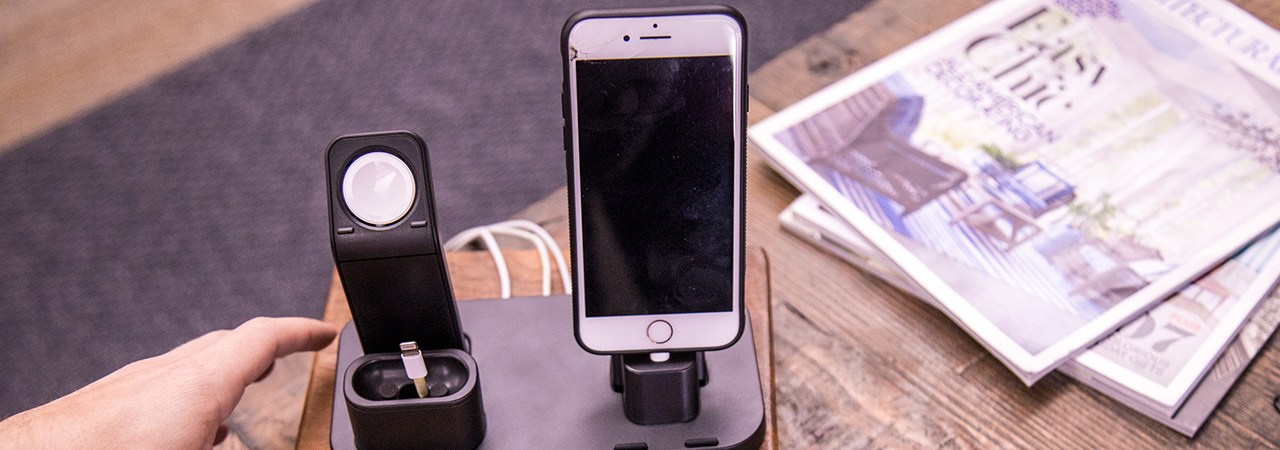
We found this charger ideal for those who want to charge multiple devices simultaneously, especially if you own an iPhone, AirPods, and an Apple Watch.
- Conveniently charges three devices at once.
- MagSafe technology ensures a secure connection and faster charging.
- Its larger footprint may not suit smaller bedside tables.
series-airpods-black/6511346.p?skuId=6511346&publisher_slug=FranksWaffle&article_name=Best%20iPhone%20Chargers&article_url=https://FranksWaffle.com/phone/accessories/best-iphone-chargers&exclusive=1&u1=5a53ed3e66cdc05dd3523d4dba18c72448c98b8c-MDkyMDI1-189411″ class=”buy-now-button”>Buy Now
KU XIU X55 Fast Wireless Charger
This charger is great for anyone looking for a budget-friendly fast charging option without sacrificing performance.
- Affordable price point with solid performance.
- Compact design makes it easy to carry.
- Charging speed may not match premium brands.
Apple 20W USB-C Power Adapter
We believe this charger is perfect for users who need a reliable and fast charging solution for their devices.
- Delivers fast charging for quick power-ups.
- Compact size is travel-friendly.
- No included cable means additional purchase is necessary.
Apple MagSafe Charger
This charger is ideal for users who appreciate the convenience of magnetic alignment and fast charging capabilities.
- Easy alignment with MagSafe technology.
- Supports fast charging for compatible devices.
- Price is on the higher side compared to other chargers.
mophie Wireless 15W Charging Pad
This charging pad suits users who prefer a no-frills charging experience without cords getting in the way.
- Streamlined design makes it easy to use.
- Good charging speed for a wireless pad.
- Limited to one device at a time.
Best iPhone Chargers
The iPhone has established itself as one of the leading smartphones on the market. Since its launch, a wide range of accessories has emerged, including cases, cables, and more. One essential accessory that often gets overlooked is the charger.
Your iPhone charger is crucial for powering your device. Without it, recharging would require a computer or a slow, unreliable charging station, leading to lengthy charging times. Using a substandard charger can result in damage to your iPhone, cable, or even pose safety risks.
Transitioning from Lightning to USB-C
As per Apple’s announcement on September 12, the iPhone 15 series has shifted from the traditional Lightning connector to USB-C. This change aligns with EU regulations aimed at reducing electronic waste.
If you’re not upgrading your device, current Lightning chargers will still be available, and all existing wireless chargers will remain functional. However, if you have USB-C chargers for other devices, you’re already equipped for the new iPhones.
Be sure to confirm the type of charger when shopping for accessories to ensure compatibility with your current device.
How to Choose the Best iPhone Charger
Types of iPhone Chargers
- Wall Chargers are designed to plug into an AC outlet and connect with your iPhone via a cable. A compact wall charger typically came with every iPhone until 2020.
- Wireless Charging Pads allow for cable-free charging of compatible iPhones. This feature started with the iPhone 8 in 2017, but they often require a wall charger as well.
- Car Chargers plug into your vehicle’s power outlet and can provide more power than built-in USB ports, which is great for frequent travellers.
Understanding Charger Specifications
When searching for iPhone chargers, you may encounter terms like voltage, amperage, and wattage. Amps (often in milliamps) measure the current strength, while volts indicate the current a charger can supply. Watts represent total power, calculated as voltage multiplied by amperage. For example, a charger with 5 volts at 1.1 amps provides 5.5 watts. Higher wattage means faster charging capabilities.
Consider Charger Size
The size of a charger often correlates with its output power. Generally, larger chargers can provide more power and may feature multiple ports, while smaller ones are lighter and often more affordable.
MFi Certification
MFi stands for Made for iPhone/iPod/iPad, a certification programme by Apple that ensures compatibility and safety. It’s wise to check if third-party chargers are MFi-certified. While chargers for Android devices can sometimes work with iPhones using the right cable, MFi certification optimises safety and functionality.
Before 2012, iPhones utilised a 30-pin connector instead of Lightning, which may still be present in older accessories.
Features of iPhone Chargers
USB-A and USB-C
Most wall and car chargers feature USB ports to connect with an iPhone via cables. These ports are typically either USB-A, the flat, non-reversible variety, or USB-C, which is smaller and reversible. USB-A can handle a maximum of 12 watts, while USB-C can support up to 95 watts, though such high capacity is typically reserved for laptops.
Fast Charging Capability
Many newer iPhones support fast charging, allowing compatible chargers with higher voltage and amperage to charge devices more rapidly. For fast charging, a charger must output at least 18 to 20 watts and utilise USB Power Delivery over a USB-C-to-Lightning cable. Even without fast charging, more powerful chargers like Apple’s 12W iPad charger will charge an iPhone faster than a basic 5W charger.
MagSafe and Qi Charging
Wireless chargers for iPhones generally use one of two technologies: Qi or MagSafe. Qi charging, available since the iPhone 8, maxes out at 7.5 watts, while MagSafe, introduced in 2020, allows for charging speeds of up to 15 watts for compatible models. Both technologies are interoperable, but charging speeds may be limited to Qi’s maximum when using different standards.
Multiple Ports for Convenience
If you need to charge multiple devices simultaneously, consider chargers with more than one USB-A port, or a combination of USB-A and USB-C ports. Some wireless pads offer two charging areas, which is handy for charging a smartphone alongside a smartwatch. Be aware that these chargers often split their total wattage among the ports.
Accessories for iPhone Chargers
Cables
Wired chargers, whether wall or car, require Lightning cables to connect to iPhones. These cables have either a USB-A or USB-C connector on one end and an Apple Lightning port on the other. Low-quality cables may lead to poor power transfer, breakage, and even safety hazards, while high-quality cables are durable and reliable for everyday use.
Travel Adapters
For international travel, investing in travel adapters is wise. Different regions utilise various plug types, with dual-voltage chargers like Apple’s able to handle varying line voltages without a transformer.
What to Expect in Terms of Cost
Budget Options
Basic USB chargers can be found for under £9 in supermarkets and convenience stores. While there are decent options in this range, many poorly made chargers may lack adequate power or MFi certification, so it’s best to choose wisely.
Mid-Range Prices
Most quality wall and car chargers fall between £9 and £40. This range includes Apple’s chargers and reputable brands such as Belkin and Anker, which often provide higher wattage and more ports than the standard options.
High-End Chargers
Premium power adapters and wall chargers can exceed £50, featuring high output suitable for laptops or multiple charging ports. Many multi-device wireless charging pads also fall into this category.
With the introduction of iOS 13, Apple enabled smart charging, allowing compatible iPhones to charge intelligently based on your routine.
Tips for Effective Charging
- Manage the temperature: Charge your iPhone in a cool environment, avoiding extreme temperatures to maintain battery health.
- Use wall outlets: Wall chargers, especially fast chargers, generally provide quicker charging than wireless pads or USB ports on computers.
- Remove thick cases: Some cases can trap heat or interfere with wireless charging, so it’s best to remove them during charging.
- Turn off your iPhone: For the fastest charge, consider turning off your device or disconnecting from cellular and Wi-Fi networks.
Frequently Asked Questions
Q. How often should I charge my iPhone?
A. Apple suggests charging your iPhone when the battery level reaches 20% to avoid running low or completely depleting the battery. Frequent, incremental charging is preferable over allowing it to drain too low.
Q. Is it safe to leave my iPhone charging overnight?
A. Charging overnight is generally safe, but prolonged charging can decrease the battery’s maximum capacity over time. If concerned, unplug the device when you wake.
Q. Can I use old iPhone chargers with new models?
A. You can use any of Apple’s power adapters as long as they are in good condition, from the original 5W adapter to the 95W USB-C charger for laptops. Older third-party chargers may also work, provided they meet the necessary wattage and MFi certification.